

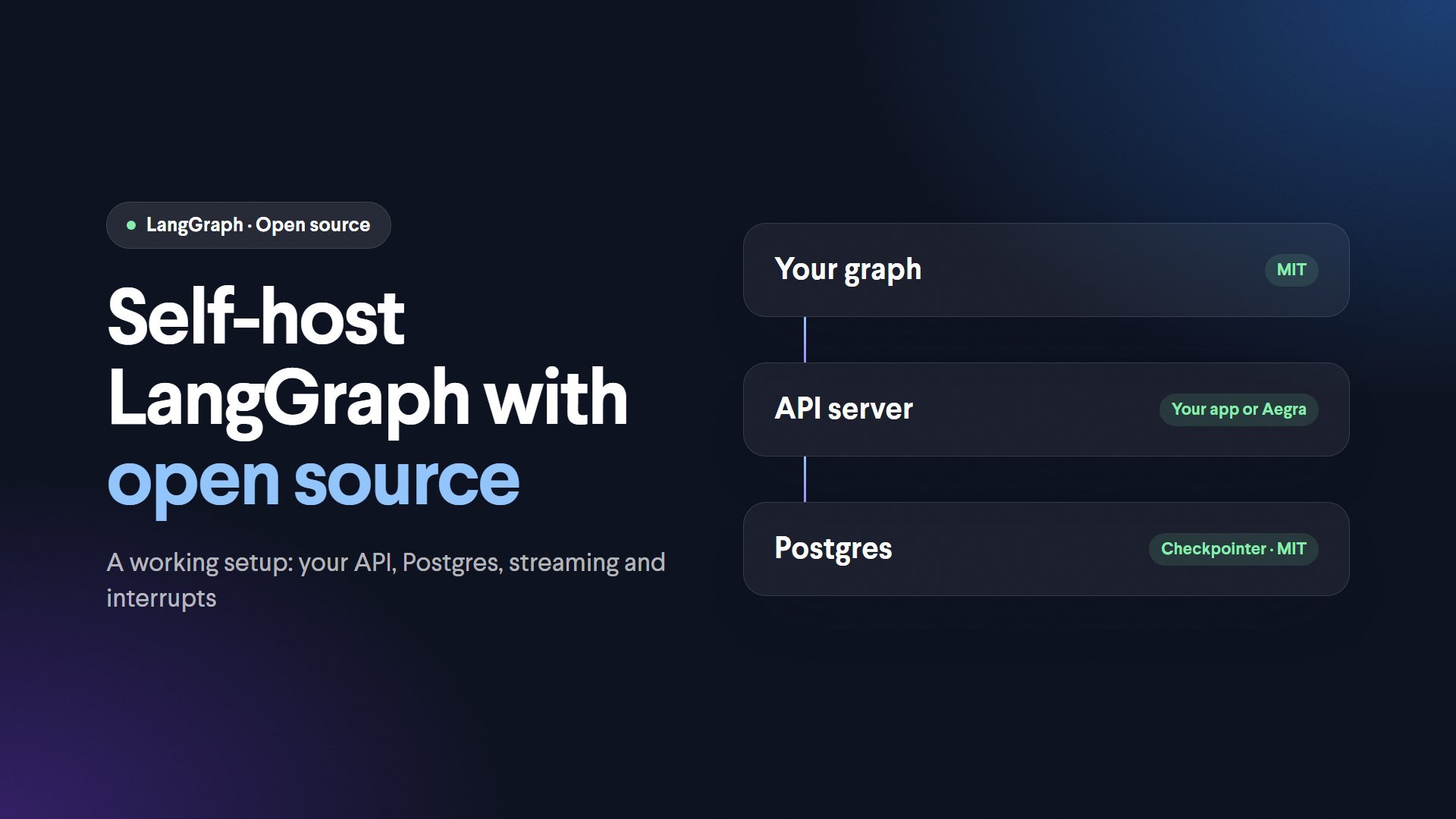
You can run a LangGraph agent in production without paying LangChain anything. The langgraph library and its Postgres checkpointer are MIT-licensed. What you don't get for free is the official Agent Server, the part that turns a graph into an HTTP API with threads, streaming and background runs. Self-hosting it needs a license key.
So the open-source route means answering one question yourself: what serves your graph over HTTP? This guide helps you decide whether that's worth it, then gives you a setup you can deploy today.
Should you self-host with open source?
It's a good fit when:
- you can't, or don't want to, pay for LangSmith Cloud or an Enterprise license;
- your data has to stay on servers you control;
- you have one or a few agents, and someone on the team is comfortable running a small API and a Postgres database.
It's the wrong fit when:
- you need LangGraph Studio, the LangGraph SDK or Agent Chat UI to work out of the box, and don't want to run a community server;
- you need vendor support or an SLA;
- nobody on the team wants to be on call for the agent's server.
If that second list sounds like you, compare the managed options in how to deploy a LangGraph agent.
Which open-source route should you take?
There are two. Pick by what your clients expect.
| Your own API around the graph | An Agent Protocol server (e.g. Aegra) | |
|---|---|---|
| Pick it when | You own the frontend and want the least to run | Your clients already speak the LangGraph SDK, or you want Agent Chat UI |
| What you run | A small FastAPI app and Postgres | A community server, Postgres and Redis |
| Works with LangGraph SDK, Agent Chat UI | No, your API is your own | Yes, for the endpoints it implements |
| Background runs, queue | You build them if you need them | Included |
| Who fixes bugs | You | A community project |
| Effort to first deploy | An afternoon with the code below | An hour to start, longer to verify |
Our recommendation: start with your own API unless you specifically need SDK compatibility. It's less to run, every line is yours to debug, and the code below covers what most chat agents need.
Route 1: a complete self-hosted setup
This is a working service: streaming replies, persistent threads, human-approval interrupts, and an API key check. Here is how the pieces fit:
It assumes your graph builder lives in agent/graph.py.
my-agent/
├── agent/
│   └── graph.py          # builder = StateGraph(...) ...
├── app.py                # the API below
├── requirements.txt
├── Dockerfile
└── docker-compose.yml
The API
import os
from contextlib import asynccontextmanager

from fastapi import Depends, FastAPI, Header, HTTPException
from fastapi.responses import StreamingResponse
from langgraph.checkpoint.postgres.aio import AsyncPostgresSaver
from langgraph.types import Command
from pydantic import BaseModel

from agent.graph import builder

DB_URI = os.environ["DATABASE_URL"]
API_KEY = os.environ["AGENT_API_KEY"]


@asynccontextmanager
async def lifespan(app: FastAPI):
    async with AsyncPostgresSaver.from_conn_string(DB_URI) as checkpointer:
        await checkpointer.setup()  # creates the tables; safe to run on every start
        app.state.graph = builder.compile(checkpointer=checkpointer)
        yield


app = FastAPI(lifespan=lifespan)


def caller(authorization: str = Header(default="")) -> str:
    if authorization != f"Bearer {API_KEY}":
        raise HTTPException(status_code=401)
    return "default"  # swap for a real user ID from your auth provider


def thread_config(user: str, thread_id: str) -> dict:
    # Prefix thread IDs with the user, so one user can't read another's thread.
    return {"configurable": {"thread_id": f"{user}:{thread_id}"}}


class Message(BaseModel):
    text: str


class Resume(BaseModel):
    value: str


async def stream(graph_input, config):
    async for chunk, _meta in app.state.graph.astream(graph_input, config, stream_mode="messages"):
        if chunk.content:
            yield chunk.content


@app.post("/threads/{thread_id}/messages")
async def send(thread_id: str, body: Message, user: str = Depends(caller)):
    config = thread_config(user, thread_id)
    return StreamingResponse(stream({"messages": [("user", body.text)]}, config), media_type="text/plain")


@app.post("/threads/{thread_id}/resume")
async def resume(thread_id: str, body: Resume, user: str = Depends(caller)):
    # Continues a run that paused on interrupt(), e.g. waiting for a human to approve.
    config = thread_config(user, thread_id)
    return StreamingResponse(stream(Command(resume=body.value), config), media_type="text/plain")


@app.get("/threads/{thread_id}")
async def state(thread_id: str, user: str = Depends(caller)):
    snapshot = await app.state.graph.aget_state(thread_config(user, thread_id))
    return {
        "messages": [{"role": m.type, "content": m.content} for m in snapshot.values.get("messages", [])],
        "waiting_for": [i.value for t in snapshot.tasks for i in t.interrupts],  # non-empty = paused
    }
What each endpoint gives you:
POST /threads/{id}/messagesstreams the reply token by token. Reusing a thread ID continues the conversation, because the checkpointer saves state after every step.POST /threads/{id}/resumecontinues a graph that paused oninterrupt(). When a run pauses, its stream simply ends; checkwaiting_foron the thread, show the question to a human, then send their answer here.GET /threads/{id}returns the conversation, and what the graph is waiting for if it paused. Use it to rebuild the chat after a page reload.
A human approval runs through all three:
POST /messages starts the runinterrupt() and the stream endsGET /threads/{id} shows the question in waiting_forPOST /resume sends the answer and the run carries onRun it with Postgres
# requirements.txt
fastapi
uvicorn[standard]
langgraph
langgraph-checkpoint-postgres
psycopg[binary,pool]
FROM python:3.12-slim
WORKDIR /app
COPY requirements.txt .
RUN pip install --no-cache-dir -r requirements.txt
COPY . .
CMD ["uvicorn", "app:app", "--host", "0.0.0.0", "--port", "8000"]
# docker-compose.yml
services:
  db:
    image: postgres:16
    environment:
      POSTGRES_PASSWORD: change-me
      POSTGRES_DB: agents
    volumes:
      - pgdata:/var/lib/postgresql/data
  agent:
    build: .
    ports:
      - "8000:8000"
    environment:
      DATABASE_URL: postgresql://postgres:change-me@db:5432/agents
      AGENT_API_KEY: ${AGENT_API_KEY}
      OPENAI_API_KEY: ${OPENAI_API_KEY}   # or your model provider's key
    depends_on:
      - db
volumes:
  pgdata:
docker compose up -d --build
curl -N -X POST localhost:8000/threads/t1/messages \
-H "Authorization: Bearer $AGENT_API_KEY" -H "Content-Type: application/json" \
-d '{"text": "Hi"}'
That runs on any server with Docker. Put it behind a reverse proxy with HTTPS, such as Caddy or Nginx, before you expose it.
If you manage the database connection yourself
from_conn_string sets the connection up correctly. If you pass your own connection or pool instead, the
checkpointer docs require autocommit=True and row_factory=dict_row. Without them, state silently fails to save
or load.
Route 2: an Agent Protocol server such as Aegra
The Agent Protocol is an open (MIT) specification of the API the official server exposes: threads, runs, streaming and a store. Community servers implement it, so clients built for the official server can talk to them.
Aegra is the best-known example. It's Apache-2.0 licensed, runs on your own PostgreSQL with Redis for its job queue, and its README lists Agent Chat UI and LangGraph Studio as working clients.
pip install aegra-cli # the CLI package, not "aegra"aegra init
cd my-agent
uv sync
uv run aegra dev # starts PostgreSQL and a dev server
Test the endpoints you use before you commit
Community servers move fast, and Aegra's own README and docs disagree on some limits, such as streaming modes and concurrent runs. Before you build on one, script the calls your client makes: create a thread, stream a run, resume an interrupt, read state history. Run that script again on every upgrade.
What you're responsible for in production
The official server handles these for you. On the open-source route, they're yours. Work through the list before real users arrive.
| Concern | With the setup above | What to add |
|---|---|---|
| Auth | One shared API key | Real user identity from your auth provider in caller(), so threads belong to users |
| Long runs | A run lives as long as its HTTP request | A job queue, such as Celery, RQ or arq, if runs take minutes |
| Double-texting | Two messages on one thread run at once | A per-thread lock, or reject a new message while a run is active |
| Backups | None | Scheduled Postgres backups. All conversation state is in that database |
| Old threads | Kept forever | A cleanup job for checkpoints older than you need |
| Tracing | Logs only | LangSmith tracing works without LangSmith Deployment (set LANGSMITH_API_KEY), or use an open-source tracer such as Langfuse |
| Scaling | One container | Several replicas can share one Postgres. Add a load balancer and the per-thread lock |
Next steps
- Put the setup above next to your graph and run
docker compose up. Call it withcurluntil the agent streams. - Replace the shared API key with your real users in
caller(). - Deploy it to a server with HTTPS in front, and schedule Postgres backups.
- Work through the production table as traffic grows: queue first if runs are long, the lock first if users double-text.
If the list of things to own looks longer than you'd like, a managed option may cost less than the engineering time. LangSmith Deployment pricing shows what that would cost.
Sources (checked 24 November 2026)
- LangGraph: library and checkpointers, MIT
- langgraph-checkpoint-postgres: setup and connection requirements
- Interrupts:
interrupt()andCommand(resume=...) - Agent Protocol: the open API specification, MIT
- Aegra: open-source Agent Server alternative, Apache-2.0
- Self-host standalone servers: license key requirement
Comments