
If you can build and deploy a Django app, you already know most of what an AI agent needs. A LangGraph agent is a Python project with dependencies, a Postgres database and environment variables, and it talks HTTP.
Three things are new. Requests take seconds or minutes instead of milliseconds, replies stream, and the state you store is the conversation itself. This guide maps what you know onto LangGraph, then answers the question every Django developer hits first: does the agent go inside my Django app, or beside it?
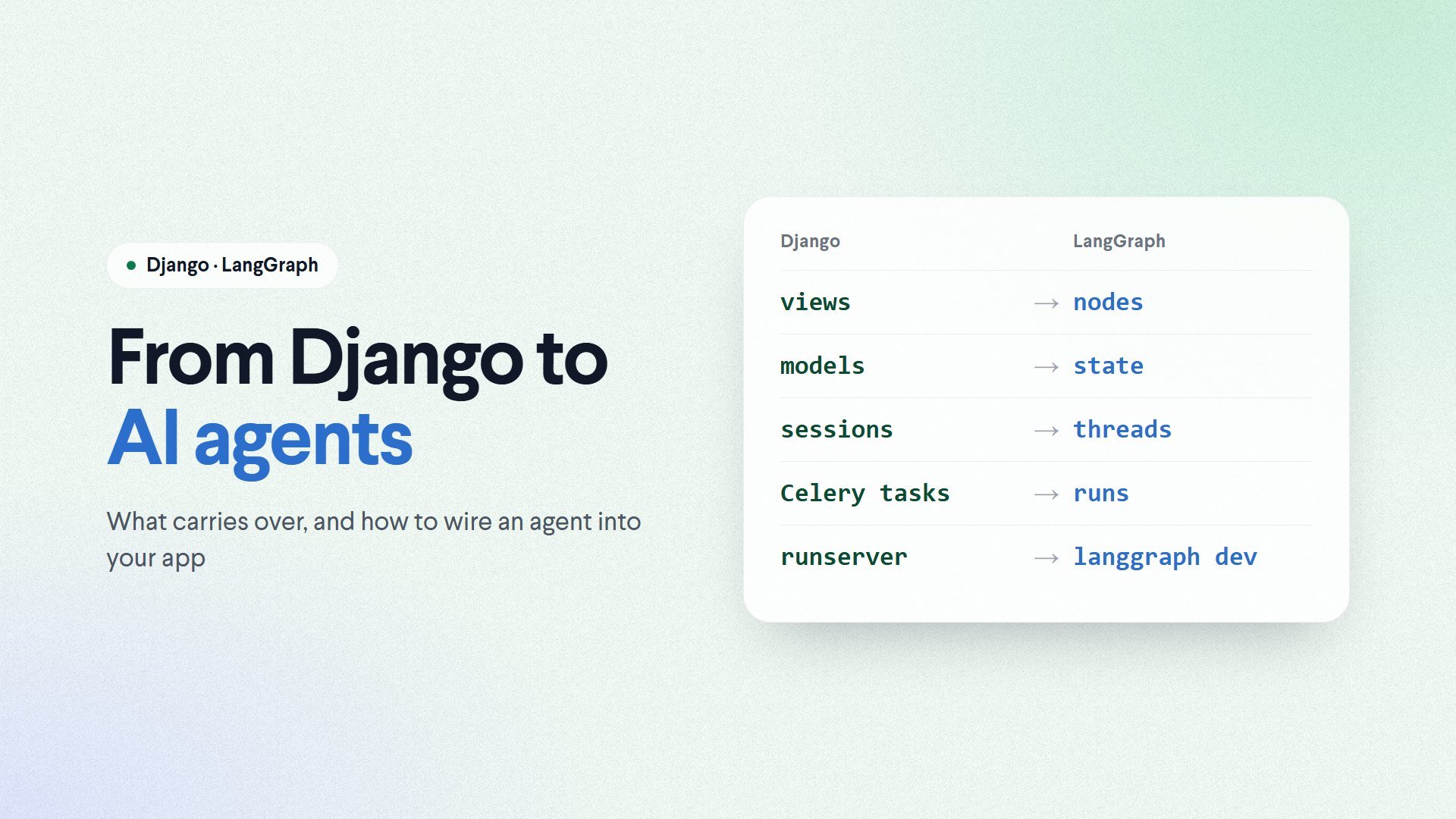
The concept map
| In Django | In LangGraph | Good to know |
|---|---|---|
runserver |
langgraph dev |
Local server on port 2024, with LangGraph Studio to watch each step |
| URLconf and views | A graph of nodes and edges | A node is a plain function: it takes the state and returns an update |
| Models | A state schema | One TypedDict per graph, such as MessagesState. No tables to design |
| The database and ORM | A checkpointer | Saves the whole state after every step, in Postgres in production |
| A session | A thread | One conversation, addressed by thread_id |
settings.py |
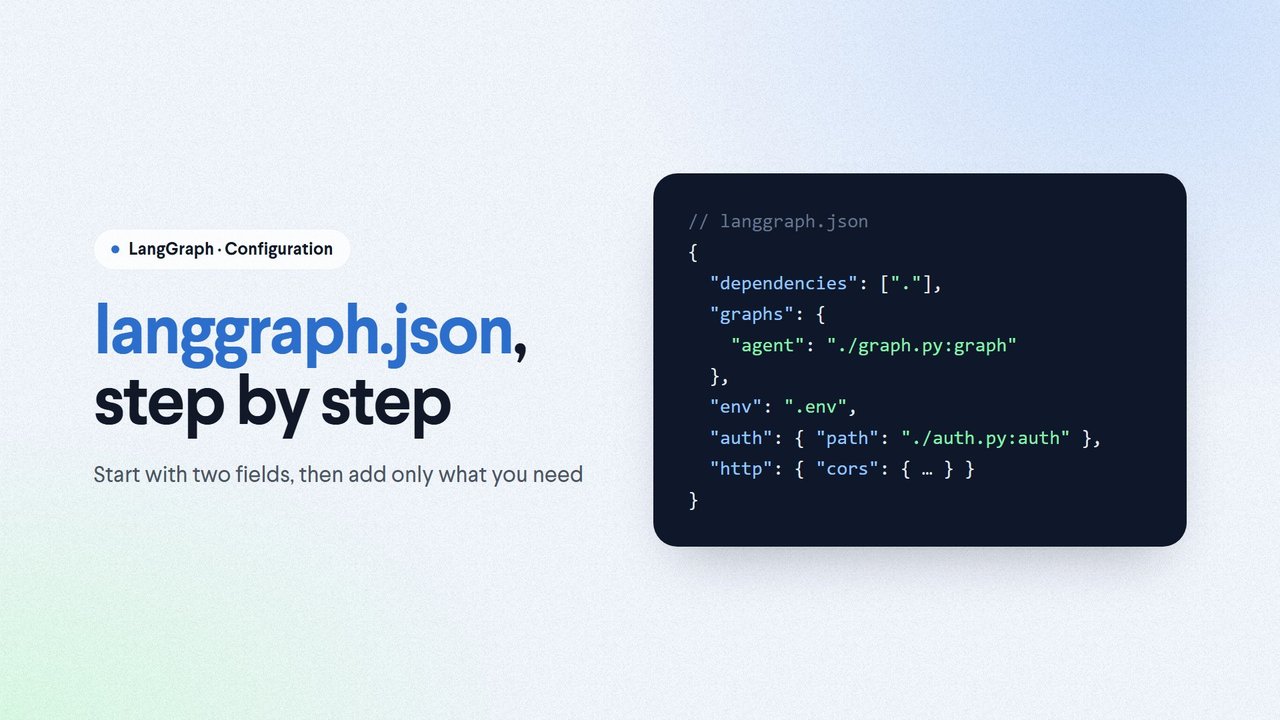
langgraph.json |
Read by the LangGraph CLI and Agent Server. See langgraph.json explained |
| A Celery task | A background run | Agent Server Without it, a Celery task is still the answer |
| Celery beat | A cron | Agent Server Without it, use beat to start runs |
| Users and permissions | They stay in Django | The agent doesn't know your users. Django decides who owns which thread |
| Logs and Sentry | Traces | Every model call, tool call and state change, step by step |
The rows marked Agent Server come with LangChain's official server, on LangSmith Cloud or with a license. On the open-source route you build them from the parts you already know.
What's genuinely new
The biggest change is how long a request takes. A Django view does one quick thing and returns. An agent loops between a model and tools until it has an answer, and the user watches the reply arrive:
That one difference causes most of the new problems:
| What's new | Why it matters | What handles it |
|---|---|---|
| Long requests | A run can take 20 to 90 seconds. Gunicorn's sync workers time out at 30 seconds by default | Streaming over ASGI, or background runs |
| Streaming | Users expect to see the reply as it's written | StreamingHttpResponse, and no proxy buffering |
| State per conversation | You don't write a Message model. The checkpointer stores everything |
A thread per conversation, owned by a user |
| Pausing for a human | interrupt() stops a run until someone approves, even days later |
The checkpointer, plus a resume call |
| Non-deterministic output | The same input can give a different answer | Traces, and tests that check behaviour, not exact text |
| Cost per request | Every run spends model tokens | Per-user limits from day one |
Inside Django or beside it?
Both work. Pick by how long the agent takes and whether the user waits for it.
Our recommendation: if users chat with it, run the agent beside Django. A streaming run holds a connection for as long as it takes. Inside your web workers, a few busy users can block everyone else, and a slow run hits the worker timeout. As a separate service, the agent scales and deploys on its own, and Django stays fast.
Route 1: run the agent inside Django
Start with a graph. This is a complete one-node agent:
from langchain.chat_models import init_chat_model
from langgraph.graph import START, MessagesState, StateGraph

model = init_chat_model("anthropic:claude-sonnet-5-5")


def respond(state: MessagesState) -> dict:  # like a view: state in, an update out
    return {"messages": [model.invoke(state["messages"])]}


builder = StateGraph(MessagesState)
builder.add_node("respond", respond)
builder.add_edge(START, "respond")
Compile it once, with a Postgres checkpointer so conversations survive restarts:
# chat/agent.py
from django.conf import settings
from langgraph.checkpoint.postgres import PostgresSaver
from psycopg.rows import dict_row
from psycopg_pool import ConnectionPool

from agent.graph import builder

pool = ConnectionPool(
    settings.AGENT_DATABASE_URL,
    kwargs={"autocommit": True, "row_factory": dict_row, "prepare_threshold": 0},
)
checkpointer = PostgresSaver(pool)  # run checkpointer.setup() once, e.g. in a management command
graph = builder.compile(checkpointer=checkpointer)
Then call it from a view. Prefix the thread with the user's ID, so one user can never load another's conversation:
# chat/views.py
import json

from django.contrib.auth.decorators import login_required
from django.http import JsonResponse
from django.views.decorators.http import require_POST

from .agent import graph


@login_required
@require_POST
def ask(request, conversation_id):
    text = json.loads(request.body)["text"]
    config = {"configurable": {"thread_id": f"{request.user.pk}:{conversation_id}"}}
    result = graph.invoke({"messages": [("user", text)]}, config)
    return JsonResponse({"reply": result["messages"][-1].text})
requirements.txt needs langgraph, langchain, langchain-anthropic (or your provider's package), langgraph-checkpoint-postgres and psycopg[binary,pool]. The checkpointer's tables can share your Django database or live in their own.
Keep it short, or move it to Celery
This view blocks a worker until the model answers. That's fine for a few seconds. For anything longer, call
graph.invoke from a Celery task and let the page poll for the result.
Route 2: run the agent beside Django
The agent runs as its own service. With an Agent Server (LangSmith Cloud, a licensed server, or a community server such as Aegra), Django talks to it with the official langgraph-sdk.
The browser only ever talks to Django
Django checks the user, finds their thread and passes the reply through. The agent's URL and API key stay on your server, so users can't call the agent directly or open someone else's conversation.
Django owns the link between users and threads, with an ordinary model:
# chat/models.py
import uuid

from django.conf import settings
from django.db import models


class Conversation(models.Model):
    user = models.ForeignKey(settings.AUTH_USER_MODEL, on_delete=models.CASCADE)
    # The agent's thread for this conversation
    thread_id = models.UUIDField(default=uuid.uuid4, unique=True)
    created_at = models.DateTimeField(auto_now_add=True)
The view checks that the conversation belongs to the user, then streams the agent's reply through:
# chat/views.py
import json

from django.conf import settings
from django.contrib.auth.decorators import login_required
from django.http import StreamingHttpResponse
from django.shortcuts import aget_object_or_404
from django.views.decorators.http import require_POST
from langgraph_sdk import get_client

from .models import Conversation

agent = get_client(url=settings.AGENT_URL, api_key=settings.AGENT_API_KEY)


def text_of(content) -> str:
    # Some models stream plain strings, others a list of content blocks.
    if isinstance(content, str):
        return content
    return "".join(block.get("text", "") for block in content if isinstance(block, dict))


@login_required
@require_POST
async def chat(request, pk):
    conversation = await aget_object_or_404(Conversation, pk=pk, user=await request.auser())
    text = json.loads(request.body)["text"]

    async def tokens():
        async for part in agent.runs.stream(
            str(conversation.thread_id),
            "agent",  # the graph's name in langgraph.json
            input={"messages": [{"role": "user", "content": text}]},
            stream_mode="messages-tuple",
            if_not_exists="create",
        ):
            if part.event == "messages":
                message, _metadata = part.data
                if message["type"] == "AIMessageChunk":
                    yield text_of(message["content"])

    response = StreamingHttpResponse(tokens(), content_type="text/plain; charset=utf-8")
    response["X-Accel-Buffering"] = "no"  # stop Nginx from buffering the stream
    return response
We ran this against langgraph dev on Django 6.1 under Uvicorn. The reply arrives word by word, and the second message on the same conversation continues the thread.
Streaming needs ASGI
An async streaming view only streams under an ASGI server such as Uvicorn, Daphne or Gunicorn with Uvicorn workers.
Under plain WSGI, Django collects the whole reply before sending any of it, and logs a warning. login_required on async views needs Django 5.1 or
newer, and request.auser() needs 5.0.
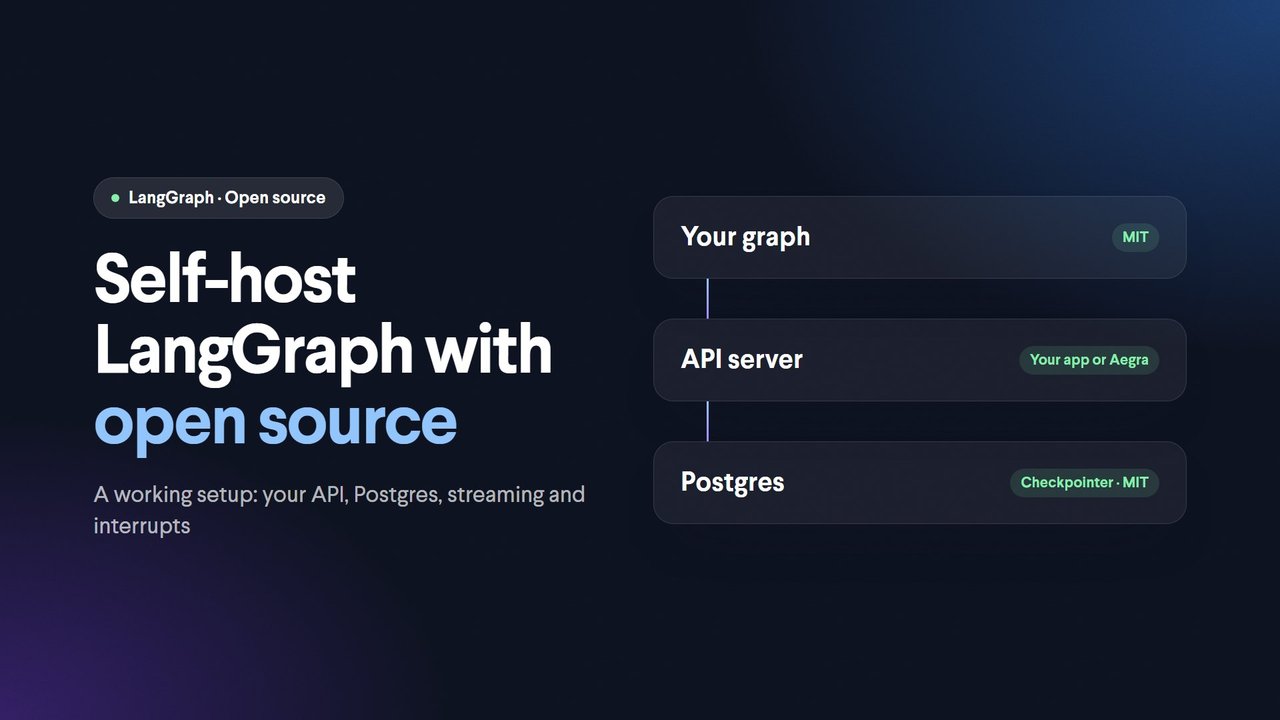
If you don't run an Agent Server, the same pattern works with your own API in place of it. The open-source self-hosting guide builds that API, with streaming, interrupts and Postgres. You can also put those endpoints straight into Django as async views.
Deploying it
The agent deploys like any Python service you've shipped. What changes is the server it runs on:
| You choose | You deploy | Read next |
|---|---|---|
| LangSmith Cloud | Push the repo with its langgraph.json. LangChain runs it |
How to deploy a LangGraph agent |
| Your own servers, open source | A container with your API and Postgres, like a Django app | Self-host with open-source tools |
| Inside Django (Route 1) | Nothing new. It ships with your app | Your usual Django deploy |
If you're weighing the managed option, LangSmith Deployment pricing works through real monthly totals.
Next steps
- Build the graph above and run
langgraph dev. Chat with it in Studio until it behaves. - Pick your route. A quick one-shot job goes inside Django. A chat goes beside it.
- Add the
Conversationmodel and the view, and stream a reply into your page. - Deploy the agent, then point
AGENT_URLat it.
FAQ
Can I add an AI agent to an existing Django app?
Yes. Import the graph and call it from a view or a Celery task for short jobs. For chat, run the agent as its own service and call it from Django, which keeps users, permissions and the link from users to threads.
Is LangGraph like Django for AI agents?
Loosely. Django gives a web app its structure: models, views and URLs. LangGraph gives an agent its structure: state, nodes and edges, plus saved state and pauses for human approval. The Agent Server plays the part of your app server and task queue.
Do I need async Django?
Only for streaming. A sync view works for short, non-streaming calls. To stream replies as they're written, use an async view under an ASGI server.
What database does an agent need?
Postgres in production. The checkpointer creates its own tables for conversation state, and they can share the database your Django app already uses.
Sources (checked 24 November 2026)
- LangGraph persistence: checkpointers and threads
- langgraph-checkpoint-postgres: connection settings
- LangGraph SDK:
runs.streamand stream modes - Django request and response objects:
StreamingHttpResponseunder ASGI and WSGI - Django asynchronous support: async views and the async ORM
- Gunicorn settings: the 30-second worker timeout
Comments